Best Website Builder for Small Business in 2026: Which Platform Is Right for You?
Best Website Builder for Small Business in 2026: Which Platform Is Right for You?
Choosing a website builder can feel harder than building the website itself.
There are dozens of platforms promising an easy way to create a professional website, and many now include AI-powered design tools, templates, SEO features, e-commerce, analytics, and marketing tools.
But here's the problem:
The best website builder for one business may be the wrong choice for another.
A local service business doesn't necessarily need the same platform as an online clothing store. A photographer may prioritize visual design, while a growing professional services company may care more about SEO, lead generation, integrations, and scalability.
So instead of asking:
"What is the best website builder?"
A better question is:
"What is the best website builder for my specific business?"
In this guide, we'll compare some of the most widely used website platforms in 2026 and explain what each one is best suited for.
Quick Answer: Which Website Builder Is Best?
There isn't one universal winner.
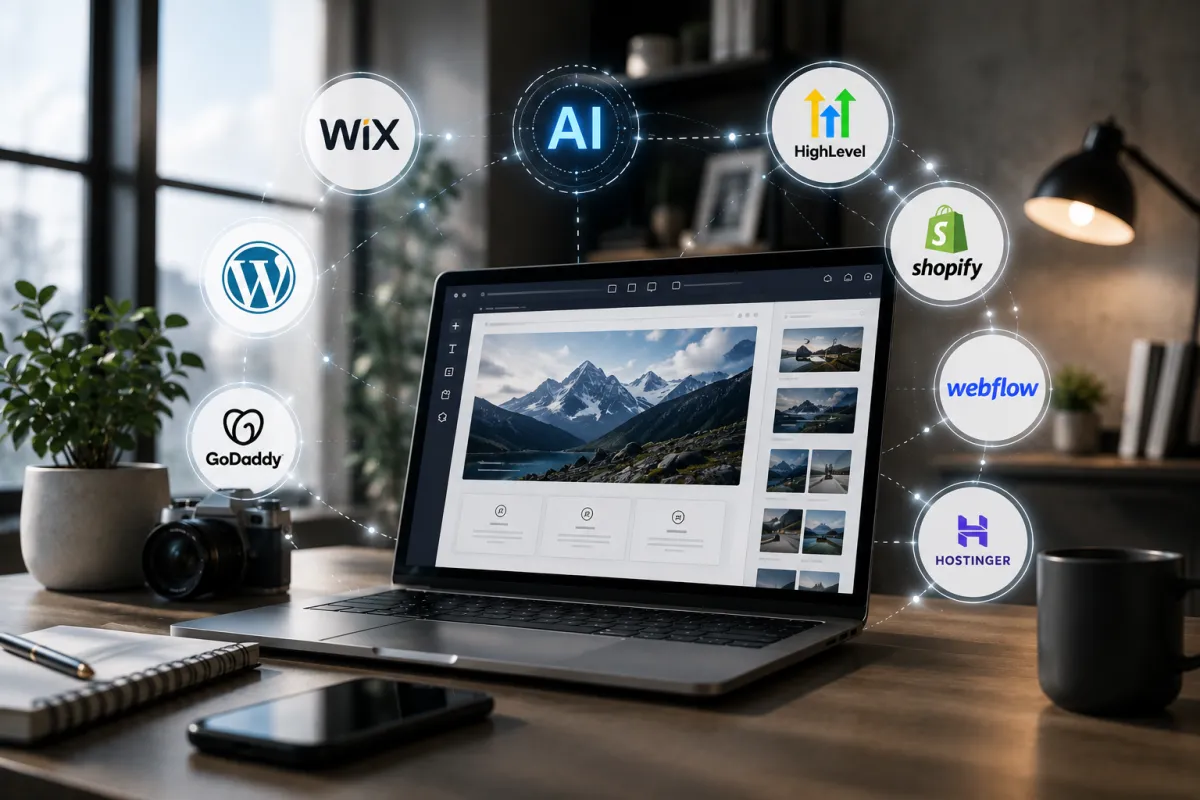
Based on current 2026 comparisons, different platforms stand out for different business needs. Wix is frequently recommended as a strong all-around option for small businesses, while Squarespace is often favored for design-focused brands. WordPress provides extensive customization and a large ecosystem, Shopify is built specifically around e-commerce, and Webflow provides greater design and development control.
Here's a simple starting point:
Wix — Best for beginners and businesses wanting an all-in-one DIY platform
WordPress — Best for flexibility, content, and businesses that want extensive customization
Squarespace — Best for design-focused businesses and service brands
Shopify — Best for businesses primarily selling products online
Webflow — Best for advanced visual design and greater development control
GoDaddy — Best for businesses prioritizing quick and simple setup
AI website builders — Best for businesses that want to generate a basic website quickly
But choosing the right platform requires looking beyond the headline.
What Should a Small Business Look for in a Website Builder?
Before choosing a platform, consider these seven factors.
1. Ease of Use
Can you update your website without needing a developer every time you want to change a photo, add a service, or publish a page?
2. Design Flexibility
Can the platform create a website that actually looks like your brand, or are you restricted to a limited set of templates?
3. SEO Capabilities
Does the platform give you enough control over important SEO elements such as page titles, descriptions, URLs, structured data, indexing, redirects, and site structure?
4. Scalability
Will the platform still work when your business has more services, products, pages, traffic, or integrations?
5. Integrations
Can it connect with the tools your business already uses?
For example:
CRM
Email marketing
Booking systems
Payment processors
Analytics
Social media
Marketing automation
Customer support tools
6. E-Commerce
If you sell products online, the website needs more than attractive pages.
You may need:
Product management
Inventory
Payments
Shipping
Tax tools
Customer accounts
Order management
Abandoned-cart recovery
Analytics
7. Total Cost of Ownership
Don't look only at the advertised monthly price.
Consider the full cost of:
Hosting
Domain
Premium themes
Plugins
Apps
Transaction fees
Maintenance
Security
Professional support
Your own time
A platform that looks inexpensive at first may become more expensive as your requirements grow.
1. Wix — Best for Many Small Businesses
Wix is one of the most prominent all-in-one website builders for small businesses.
Current 2026 comparisons frequently place Wix near the top because of its combination of visual editing, AI-powered website creation, marketing tools, SEO functionality, e-commerce capabilities, and relatively accessible setup.
Why businesses choose Wix
Wix offers:
Drag-and-drop editing
AI website creation
Templates
SEO tools
Marketing features
Analytics
E-commerce
Booking functionality
App integrations
It is particularly attractive to business owners who want to build and manage their own website without extensive technical knowledge.
Best for:
Service businesses, consultants, local businesses, small retailers, startups, and entrepreneurs who want an all-in-one platform.
Potential limitation
The simplicity that makes Wix attractive can also become a limitation for businesses that eventually need highly specialized functionality or a more customized development environment.
Bottom line: Wix is a strong option if you want a relatively easy way to create and manage a business website yourself.
2. WordPress — Best for Flexibility and Customization
WordPress remains one of the most flexible options available.
Unlike many hosted website builders, WordPress provides a large ecosystem of themes, plugins, developers, and integrations. Current platform comparisons continue to identify WordPress as a strong choice for businesses that value customization and long-term flexibility.
Its ecosystem is especially extensive for SEO and content. The official WordPress plugin directory currently lists thousands of plugins across SEO-related functionality, including tools for schema, XML sitemaps, local SEO, performance, and AI-assisted optimization.
Why businesses choose WordPress
Extensive customization
Large plugin ecosystem
Strong blogging capabilities
Flexible content management
Wide range of themes
Advanced integrations
Developer-friendly
Suitable for complex websites
Best for:
Content-heavy businesses, publishers, professional service companies, growing businesses, and organizations that need extensive customization.
Potential limitation
WordPress gives you more control, but that control comes with more responsibility.
Depending on how the site is built, you may need to manage:
Hosting
Updates
Plugins
Security
Backups
Performance
Compatibility
Bottom line:
If flexibility and control are more important than simplicity, WordPress can be an excellent long-term choice.
3. Squarespace — Best for Design-Focused Businesses
Squarespace is well known for polished templates and a design-focused experience.
Current 2026 comparisons commonly position it as a strong choice for businesses where visual presentation is especially important.
Why businesses choose Squarespace
Professional templates
Responsive designs
Visual editing
Built-in business features
E-commerce
Marketing tools
Blogging
Analytics
Best for:
Photographers, designers, consultants, creative businesses, personal brands, restaurants, boutiques, and service businesses that prioritize presentation.
Potential limitation
Compared with more open platforms, you may encounter limitations when you need highly specialized functionality or extensive third-party integrations.
Bottom line:
If your priority is creating a polished website without dealing with a complicated technical setup, Squarespace can be a strong option.
4. Shopify — Best for E-Commerce
If your primary business model is selling products online, Shopify deserves serious consideration.
Shopify is built specifically around commerce and provides tools for product management, checkout, payments, inventory, analytics, marketing, and integrations. Its current 2026 platform information also highlights a large ecosystem of third-party apps and AI-assisted tools.
Why businesses choose Shopify
E-commerce-first architecture
Product management
Inventory tools
Payment processing
Multiple sales channels
Marketing tools
Analytics
Large app ecosystem
AI-assisted tools
Best for:
Online stores, product brands, retailers, subscription businesses, and businesses where e-commerce is the primary revenue channel.
Potential limitation
If you're simply a local service business that needs five informational pages and a contact form, Shopify may offer more commerce functionality than you actually need.
Bottom line:
If your website's primary job is selling products, Shopify is one of the platforms worth evaluating first.
5. Webflow — Best for Advanced Design Control
Webflow sits closer to the professional design and development side of the website-building spectrum.
It provides visual design capabilities while giving designers and developers more control over layouts, interactions, and website structure.
Current platform comparisons include Webflow among the leading website builders for businesses that want greater visual and development control.
Why businesses choose Webflow
Advanced visual design
Responsive layouts
Custom interactions
CMS capabilities
Greater design control
Professional development workflow
Best for:
Design agencies, creative brands, startups, designers, and businesses that need a highly customized digital experience.
Potential limitation
Webflow generally has a steeper learning curve than beginner-focused builders.
Bottom line:
If your website needs to look and behave differently from standard template-based websites, Webflow may be worth considering.
6. GoDaddy — Best for Quick Setup
GoDaddy's website builder focuses on getting businesses online quickly.
It is designed for users who don't necessarily want to spend a significant amount of time learning website development.
Why businesses choose GoDaddy
Quick setup
Templates
AI-assisted tools
Business features
Marketing tools
Booking capabilities
Best for:
Small service businesses, solo business owners, and entrepreneurs who primarily need a simple online presence.
Potential limitation
Businesses with more advanced requirements may eventually want greater design flexibility or deeper customization.
Bottom line:
GoDaddy can work well when your main objective is simply getting a functional website online quickly.
7. AI Website Builders — Best for Speed
AI website builders are changing the website creation process.
Instead of starting with a blank template, you can describe your business and allow the platform to generate a starting website.
Today's major website platforms increasingly incorporate AI into website creation, while newer AI-first tools can generate entire sites from natural-language prompts.
Why businesses choose AI builders
Very fast setup
No coding required
Automated layouts
AI-generated content
AI-generated images
Easy starting point
Lower barrier to entry
Best for:
New businesses, simple websites, experiments, temporary projects, and business owners who need to get online quickly.
Potential limitation
Generating a website is not the same as developing a strong website strategy.
You may still need to improve:
Messaging
Branding
SEO
Conversion paths
Content
User experience
Technical functionality
Integrations
This is why AI website builders are often best viewed as a tool, rather than a complete replacement for website strategy.
Website Builder Comparison
Wix
Best for: General small businesses
Strength: Ease of use and all-in-one features
WordPress
Best for: Customization and content
Strength: Flexibility and ecosystem
Squarespace
Best for: Design-focused businesses
Strength: Polished templates and simplicity
Shopify
Best for: E-commerce
Strength: Selling products online
Webflow
Best for: Advanced design
Strength: Visual and development control
GoDaddy
Best for: Quick setup
Strength: Simplicity
AI Website Builders
Best for: Speed
Strength: Rapid website generation
What About SEO?
This is where business owners should be careful.
A website builder can provide SEO features, but having SEO settings does not mean your website automatically has an SEO strategy.
Your platform is only one part of search visibility.
Your results can also depend on:
Search intent
Content quality
Site architecture
Page relevance
Internal linking
Technical implementation
Local SEO
Mobile experience
Website performance
Competition
Authority
Ongoing optimization
For example, WordPress has a large ecosystem of SEO plugins and tools, while platforms such as Wix and Shopify also provide built-in SEO functionality.
The important question isn't simply:
"Does this platform have SEO?"
Almost every major platform does.
The better question is:
"Does this platform give me the control and workflow I need to execute my SEO strategy?"
What About AI Website Builders and SEO?
AI can make website creation faster, but it doesn't eliminate the fundamentals of SEO.
An AI tool may generate a homepage in minutes.
But that doesn't automatically mean:
Your target keywords are correct.
Your content matches search intent.
Your pages are structured properly.
Your internal linking is effective.
Your local SEO is optimized.
Your website is competitive.
Your content demonstrates real expertise.
AI can accelerate production.
It still needs direction.
What Should You Choose Based on Your Business?
Here's a simple decision framework.
Choose Wix if:
You want a relatively easy all-in-one platform and plan to manage much of the website yourself.
Choose WordPress if:
You want extensive customization, content flexibility, and a large ecosystem.
Choose Squarespace if:
Visual presentation and simplicity are major priorities.
Choose Shopify if:
Selling products online is the primary purpose of your website.
Choose Webflow if:
You need advanced visual design and greater control over the website experience.
Choose GoDaddy if:
You want a straightforward way to get a basic business website online.
Choose an AI Website Builder if:
Speed is your highest priority and your website requirements are relatively simple.
But What If You Don't Want to Build the Website Yourself?
That's another important consideration.
Website builders are designed to make DIY website creation easier.
But easier doesn't always mean better for every business.
A business owner may know their industry extremely well but have limited time to:
Research competitors
Plan the website structure
Write page content
Design layouts
Optimize SEO
Configure analytics
Connect a CRM
Test mobile responsiveness
Improve conversion rates
Maintain the website
That's where professional web design and digital strategy can provide value.
The platform is simply the foundation.
The strategy is what determines how that foundation is used.
The Most Expensive Website Isn't Always the Best
It's also important not to assume that a custom website is automatically better.
A $10,000 website can still perform poorly if:
The messaging is unclear.
The design doesn't match the audience.
The site is difficult to navigate.
The pages don't target the right searches.
The calls-to-action are weak.
The website doesn't generate leads.
Likewise, a simple website built with an affordable platform can perform very well if it is:
Clear
Fast
Mobile-friendly
Easy to navigate
Relevant to the audience
Optimized for search
Designed around conversions
The goal isn't to build the most expensive website.
The goal is to build the right website for the business.
DIY Website vs. Professional Web Design
Ask yourself:
Do I have the time to build and maintain this myself?
Do I understand my customers' online search behavior?
Can I create a website structure that supports SEO?
Can I write compelling service pages?
Can I design a conversion-focused user journey?
Can I troubleshoot technical issues?
Can I connect my website to my marketing and CRM tools?
If the answer to most of these questions is no, hiring a professional may save more than just time.
It can help you avoid building the wrong website in the first place.
The Best Website Builder Is the One That Fits Your Business
There is no universal "best" website builder.
The right platform depends on your:
Business model
Budget
Technical ability
Design requirements
SEO goals
E-commerce needs
Integration requirements
Growth plans
Available time
Current 2026 comparisons reach the same broader conclusion: different builders are strongest for different use cases rather than one platform winning every category.
Before choosing a platform, don't start with:
"Which website builder is the most popular?"
Start with:
"What does my business need this website to do?"
That answer should determine the platform.
Need Help Choosing the Right Website Approach?
You don't necessarily need the most complicated platform.
You need the platform and website strategy that fit your business.
NeoCraft Digital helps businesses build stronger digital experiences through website design and development, SEO, content, digital marketing, branding, and other growth-focused services.
If you're unsure whether you should build your website yourself, use an AI website builder, or work with a professional team, the right place to start is with your business goals.
Build the website your business actually needs—not simply the website that's easiest to create.
Ready to create a website built for your business?
Talk to NeoCraft Digital